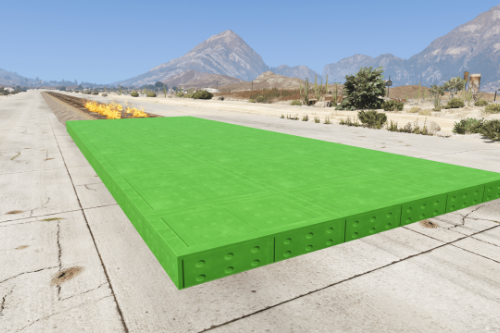
Deep Water Potholes Ramp 1



965
7
965
7
Single player map for menyoo:
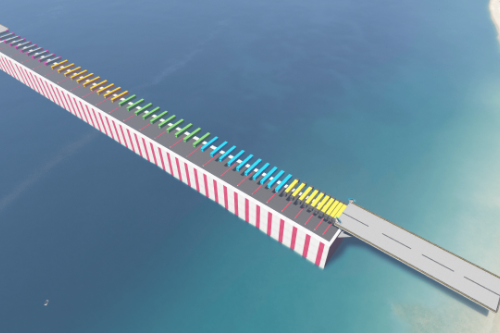
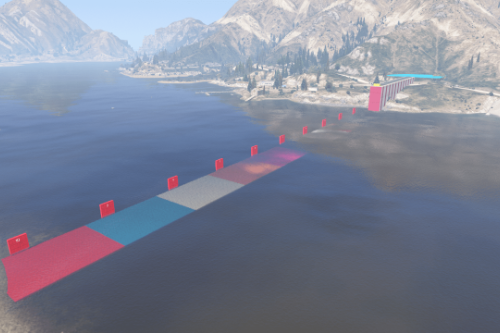
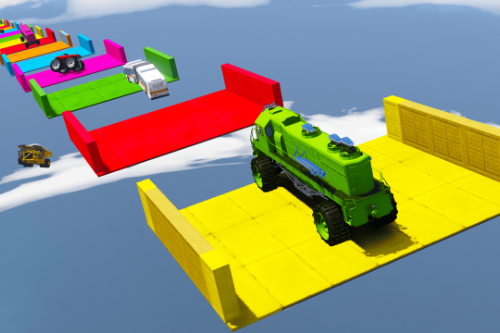
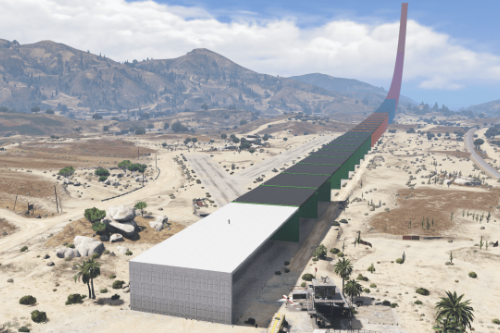
Deep Water Potholes Ramp
This map requires Menyoo PC. You have to have the latest patch of GTA V and the latest Scripthook V and Map Builder - Silver Edition (FREE).
Note : Map Builder - Silver Edition (FREE) is a must for the level numbers to appear
You can download Map Builder - Silver Edition (FREE) here : https://www.patreon.com/omegakingstudios
Go to Collections and choose the Free Downloads option and Select Map Builder Silver Edition (FREE) and choose MBV_Silver_OIV_1.02.zip under the list for Automatic installation package using OpenIV.
after installing Map Builder - Silver Edition (FREE) follow the below steps.
Installation of map:
1. Install Menyoo and make sure it's working correctly.
Step 1 Open your Gta 5 main Folder
Step 2 GO to MenyooStuff Folder
Step 3 GO to Spooner folder
Step 4 and Paste our Deep Water Potholes Ramp.xml file in spooner folder
In Game - Open Menyoo > Object Spooner > Manage Saved Files and select Deep Water Potholes Ramp.xml file and Load placement. and enjoy.
If you feel the ocean waves are high, you can download and use "No waves in the ocean" to remove waves from water https://www.gta5-mods.com/misc/no-waves-in-the-ocean
Installing "No waves in the ocean" : Use OpenIV and replace weather.xml using the following path: mods / update / update.rpf / common / data / levels / gta5
Deep Water Potholes Ramp
This map requires Menyoo PC. You have to have the latest patch of GTA V and the latest Scripthook V and Map Builder - Silver Edition (FREE).
Note : Map Builder - Silver Edition (FREE) is a must for the level numbers to appear
You can download Map Builder - Silver Edition (FREE) here : https://www.patreon.com/omegakingstudios
Go to Collections and choose the Free Downloads option and Select Map Builder Silver Edition (FREE) and choose MBV_Silver_OIV_1.02.zip under the list for Automatic installation package using OpenIV.
after installing Map Builder - Silver Edition (FREE) follow the below steps.
Installation of map:
1. Install Menyoo and make sure it's working correctly.
Step 1 Open your Gta 5 main Folder
Step 2 GO to MenyooStuff Folder
Step 3 GO to Spooner folder
Step 4 and Paste our Deep Water Potholes Ramp.xml file in spooner folder
In Game - Open Menyoo > Object Spooner > Manage Saved Files and select Deep Water Potholes Ramp.xml file and Load placement. and enjoy.
If you feel the ocean waves are high, you can download and use "No waves in the ocean" to remove waves from water https://www.gta5-mods.com/misc/no-waves-in-the-ocean
Installing "No waves in the ocean" : Use OpenIV and replace weather.xml using the following path: mods / update / update.rpf / common / data / levels / gta5
Pertama dimuat naik: 30 September, 2025
Tarikh Kemaskini: 30 September, 2025
Last Downloaded: 5 hours ago
2 Komen
Single player map for menyoo:
Deep Water Potholes Ramp
This map requires Menyoo PC. You have to have the latest patch of GTA V and the latest Scripthook V and Map Builder - Silver Edition (FREE).
Note : Map Builder - Silver Edition (FREE) is a must for the level numbers to appear
You can download Map Builder - Silver Edition (FREE) here : https://www.patreon.com/omegakingstudios
Go to Collections and choose the Free Downloads option and Select Map Builder Silver Edition (FREE) and choose MBV_Silver_OIV_1.02.zip under the list for Automatic installation package using OpenIV.
after installing Map Builder - Silver Edition (FREE) follow the below steps.
Installation of map:
1. Install Menyoo and make sure it's working correctly.
Step 1 Open your Gta 5 main Folder
Step 2 GO to MenyooStuff Folder
Step 3 GO to Spooner folder
Step 4 and Paste our Deep Water Potholes Ramp.xml file in spooner folder
In Game - Open Menyoo > Object Spooner > Manage Saved Files and select Deep Water Potholes Ramp.xml file and Load placement. and enjoy.
If you feel the ocean waves are high, you can download and use "No waves in the ocean" to remove waves from water https://www.gta5-mods.com/misc/no-waves-in-the-ocean
Installing "No waves in the ocean" : Use OpenIV and replace weather.xml using the following path: mods / update / update.rpf / common / data / levels / gta5
Deep Water Potholes Ramp
This map requires Menyoo PC. You have to have the latest patch of GTA V and the latest Scripthook V and Map Builder - Silver Edition (FREE).
Note : Map Builder - Silver Edition (FREE) is a must for the level numbers to appear
You can download Map Builder - Silver Edition (FREE) here : https://www.patreon.com/omegakingstudios
Go to Collections and choose the Free Downloads option and Select Map Builder Silver Edition (FREE) and choose MBV_Silver_OIV_1.02.zip under the list for Automatic installation package using OpenIV.
after installing Map Builder - Silver Edition (FREE) follow the below steps.
Installation of map:
1. Install Menyoo and make sure it's working correctly.
Step 1 Open your Gta 5 main Folder
Step 2 GO to MenyooStuff Folder
Step 3 GO to Spooner folder
Step 4 and Paste our Deep Water Potholes Ramp.xml file in spooner folder
In Game - Open Menyoo > Object Spooner > Manage Saved Files and select Deep Water Potholes Ramp.xml file and Load placement. and enjoy.
If you feel the ocean waves are high, you can download and use "No waves in the ocean" to remove waves from water https://www.gta5-mods.com/misc/no-waves-in-the-ocean
Installing "No waves in the ocean" : Use OpenIV and replace weather.xml using the following path: mods / update / update.rpf / common / data / levels / gta5
Pertama dimuat naik: 30 September, 2025
Tarikh Kemaskini: 30 September, 2025
Last Downloaded: 5 hours ago
 5mods on Discord

This file has been approved automatically. If you think this file should not be here for any reason please report it.
hey bro can you add me discord to buy you custom maps: thekalo