




69,705
864
69,705
864
Information:
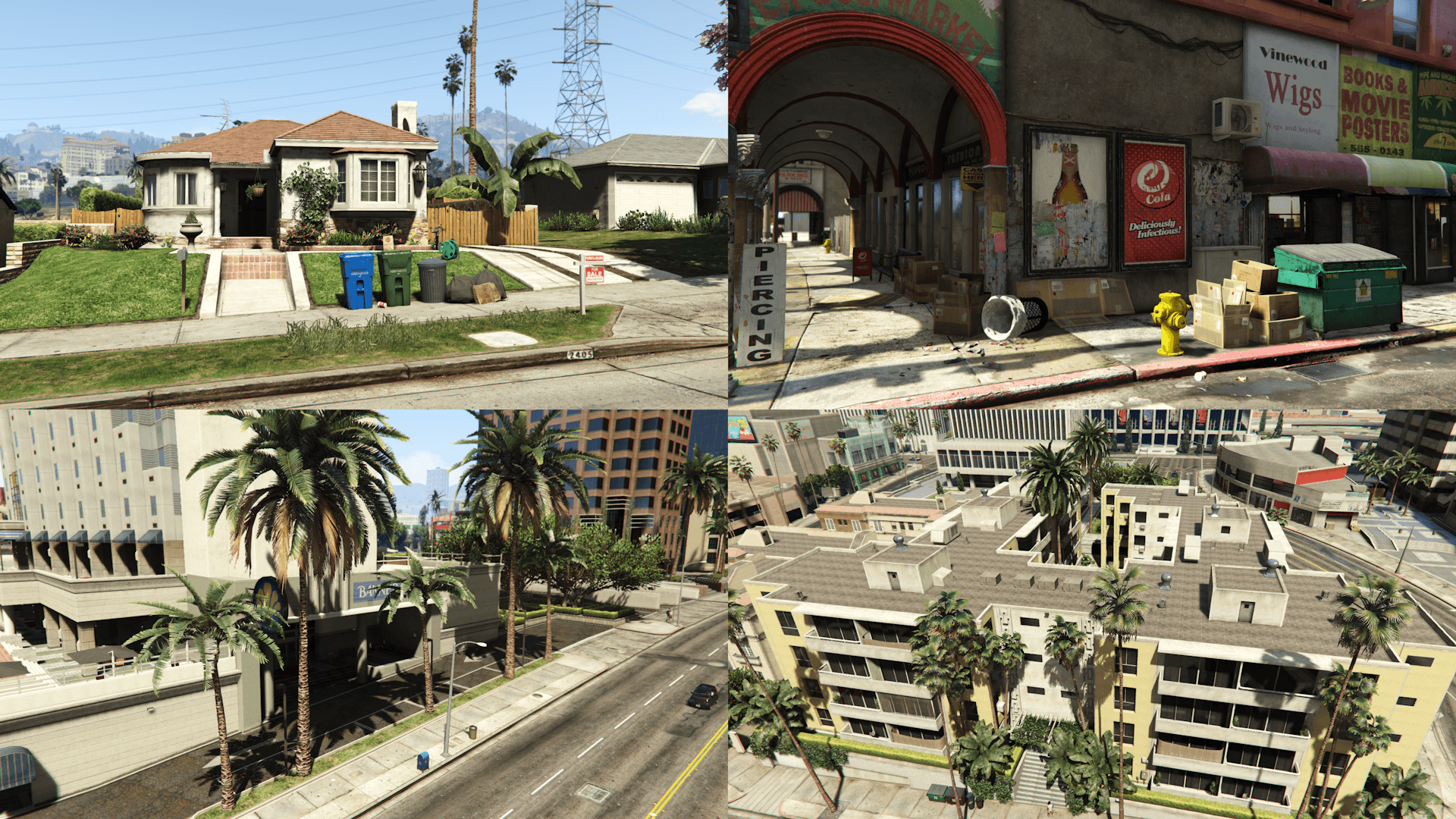
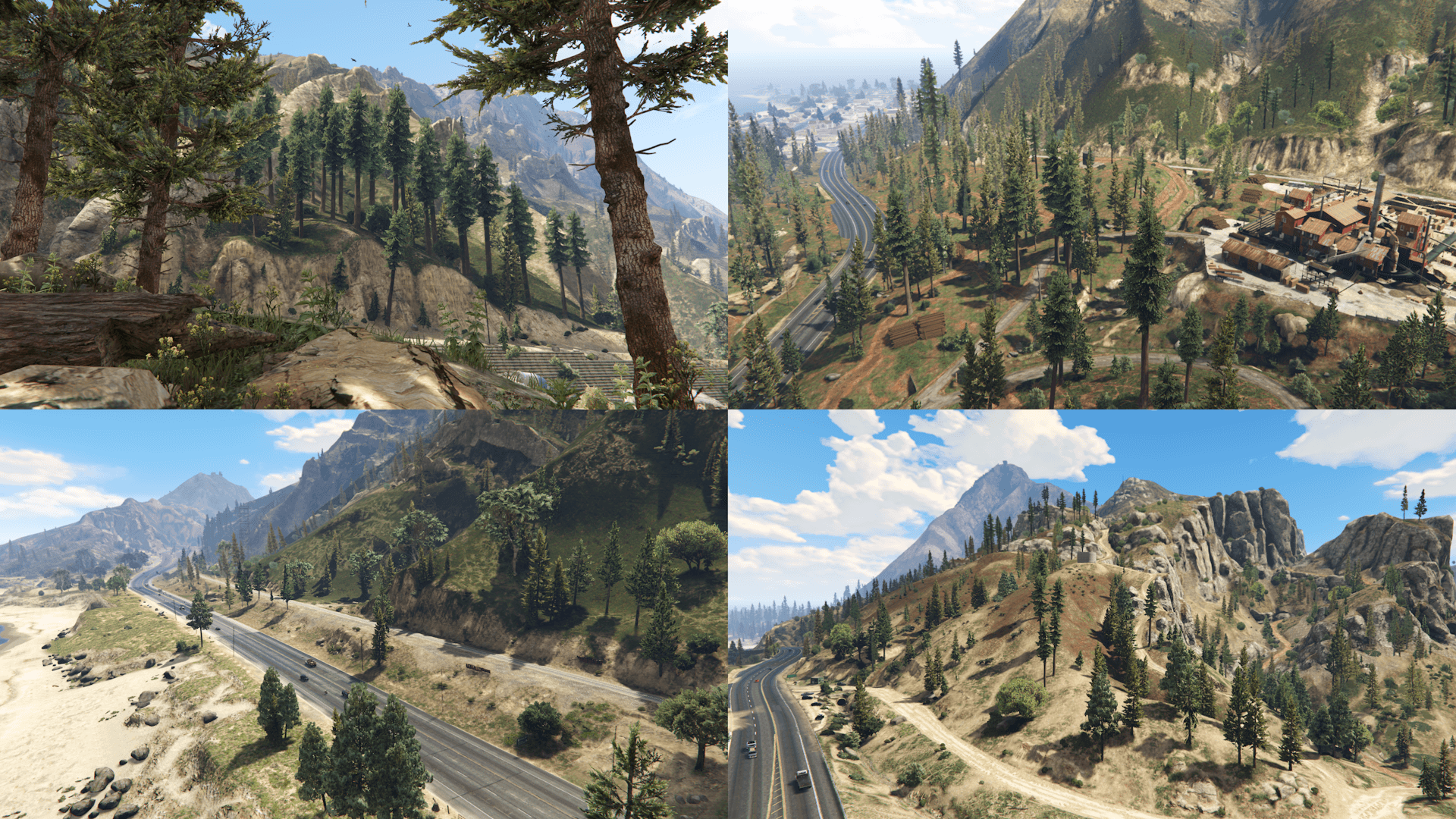
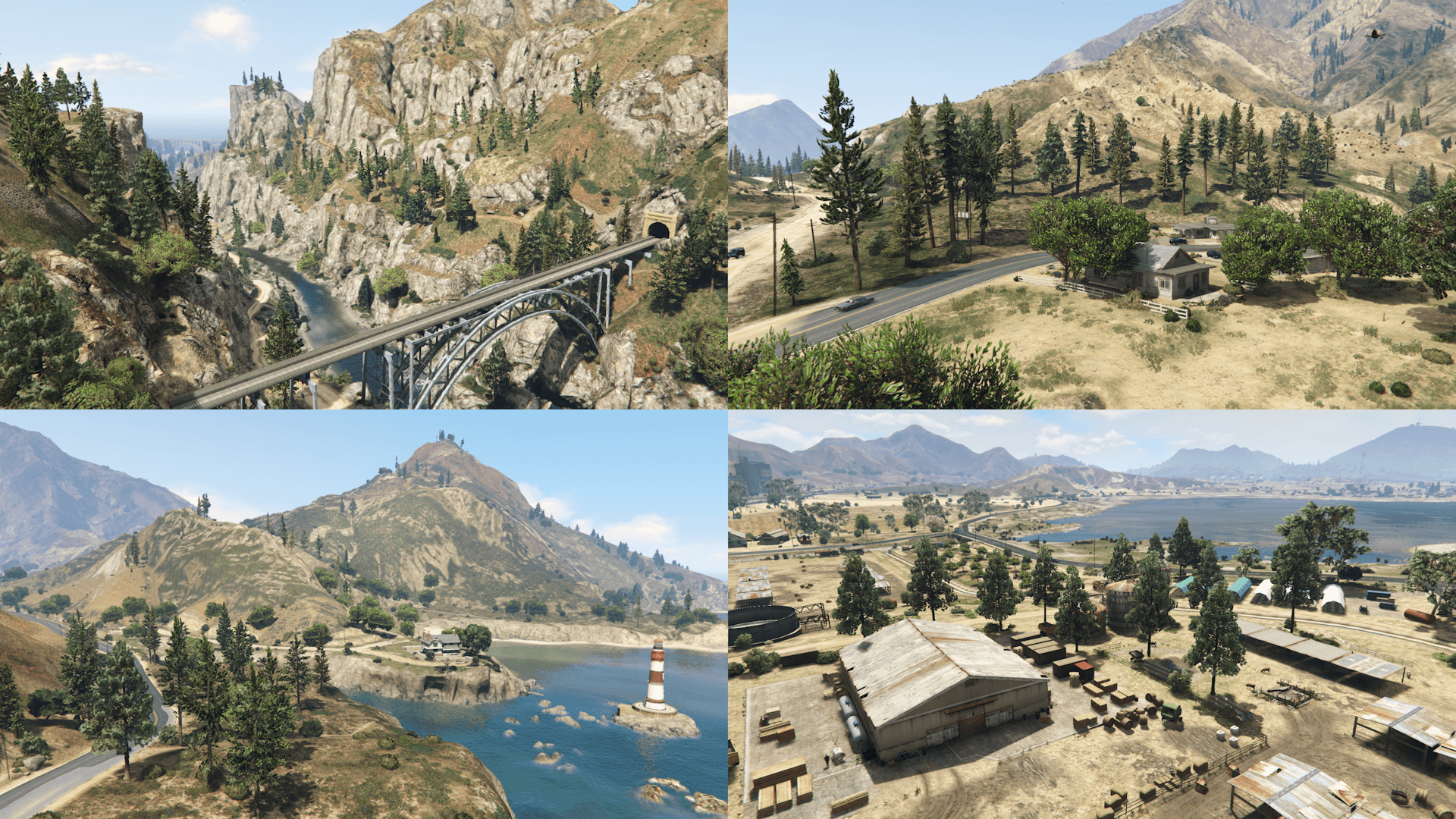
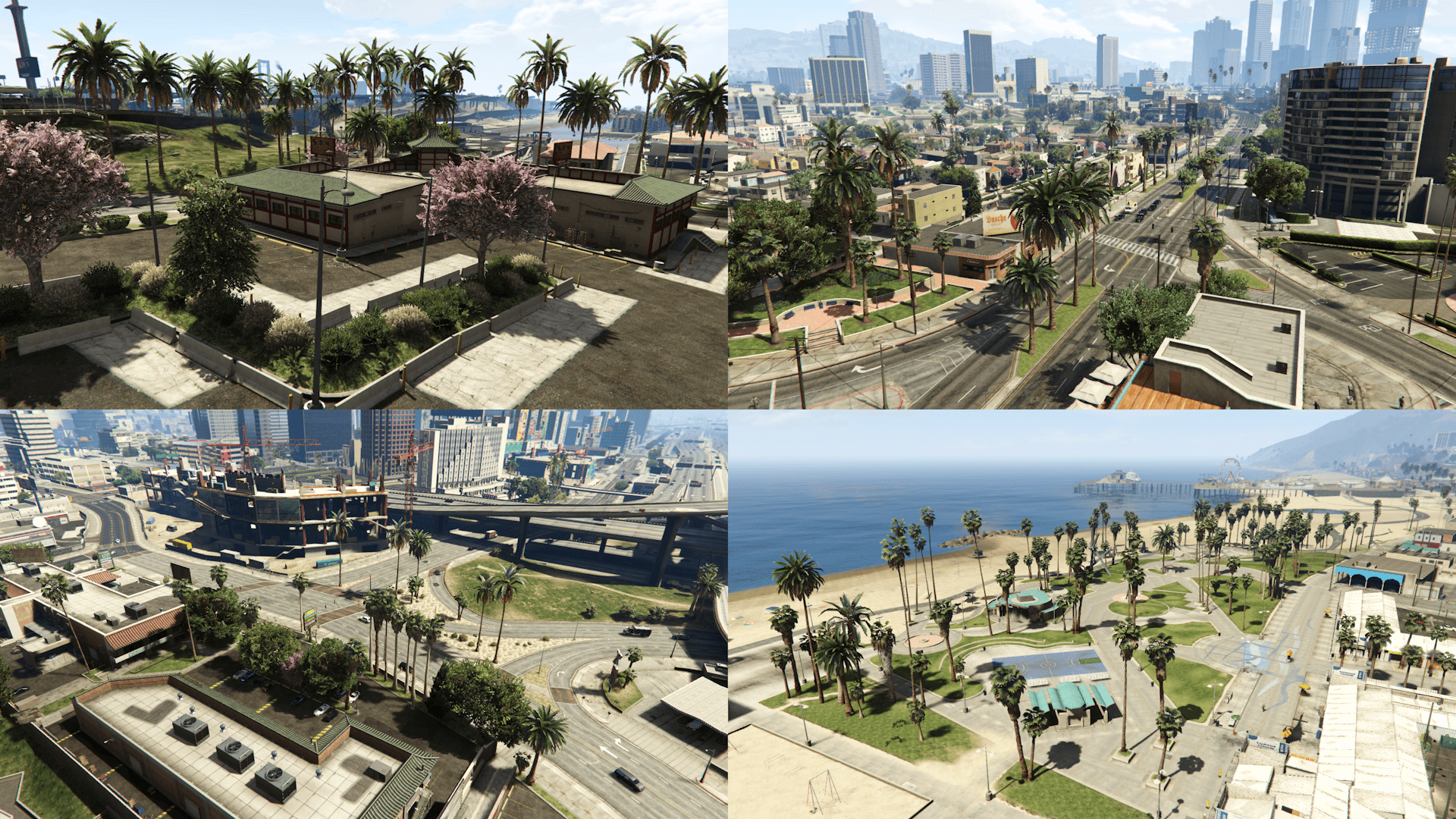
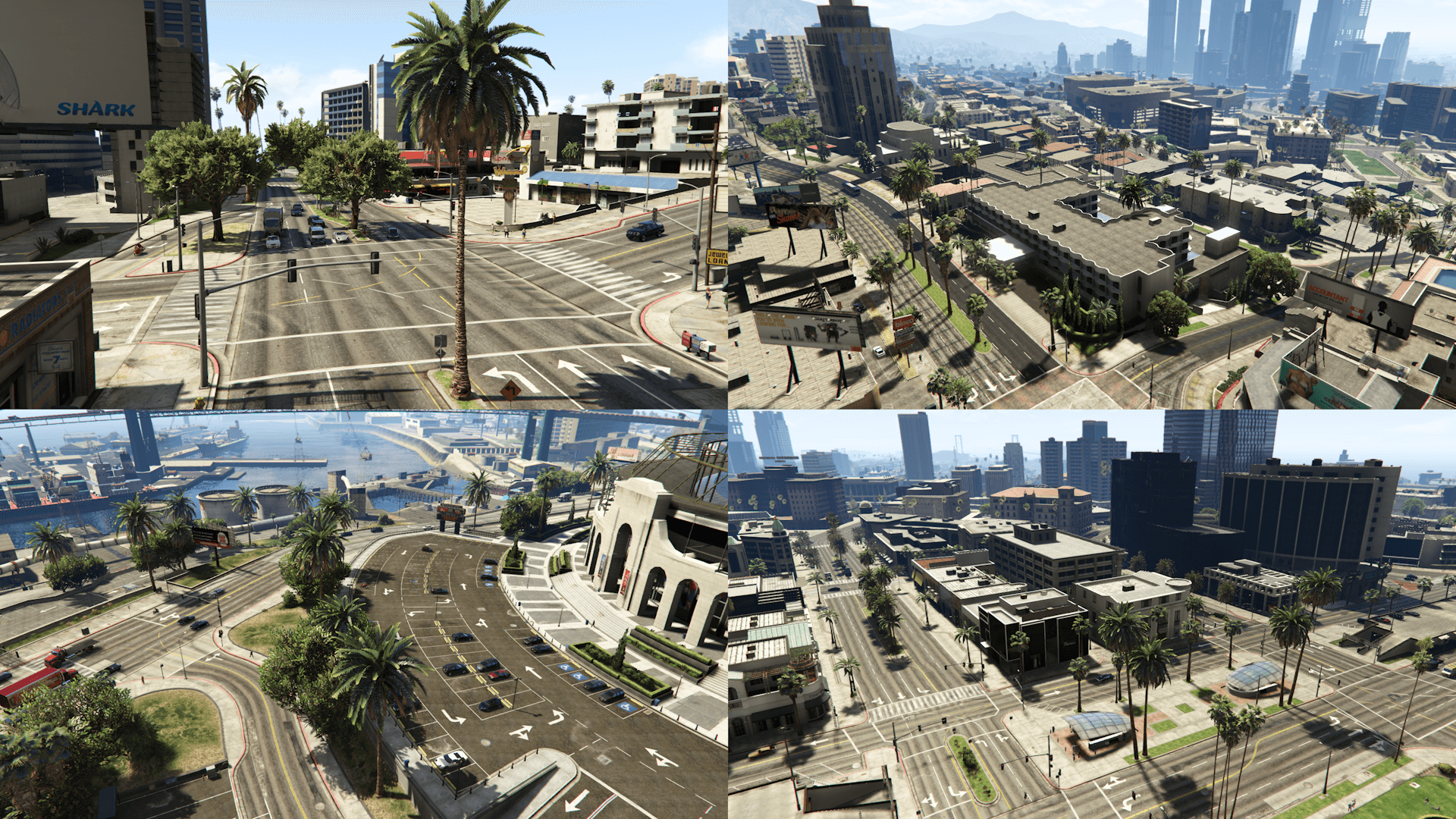
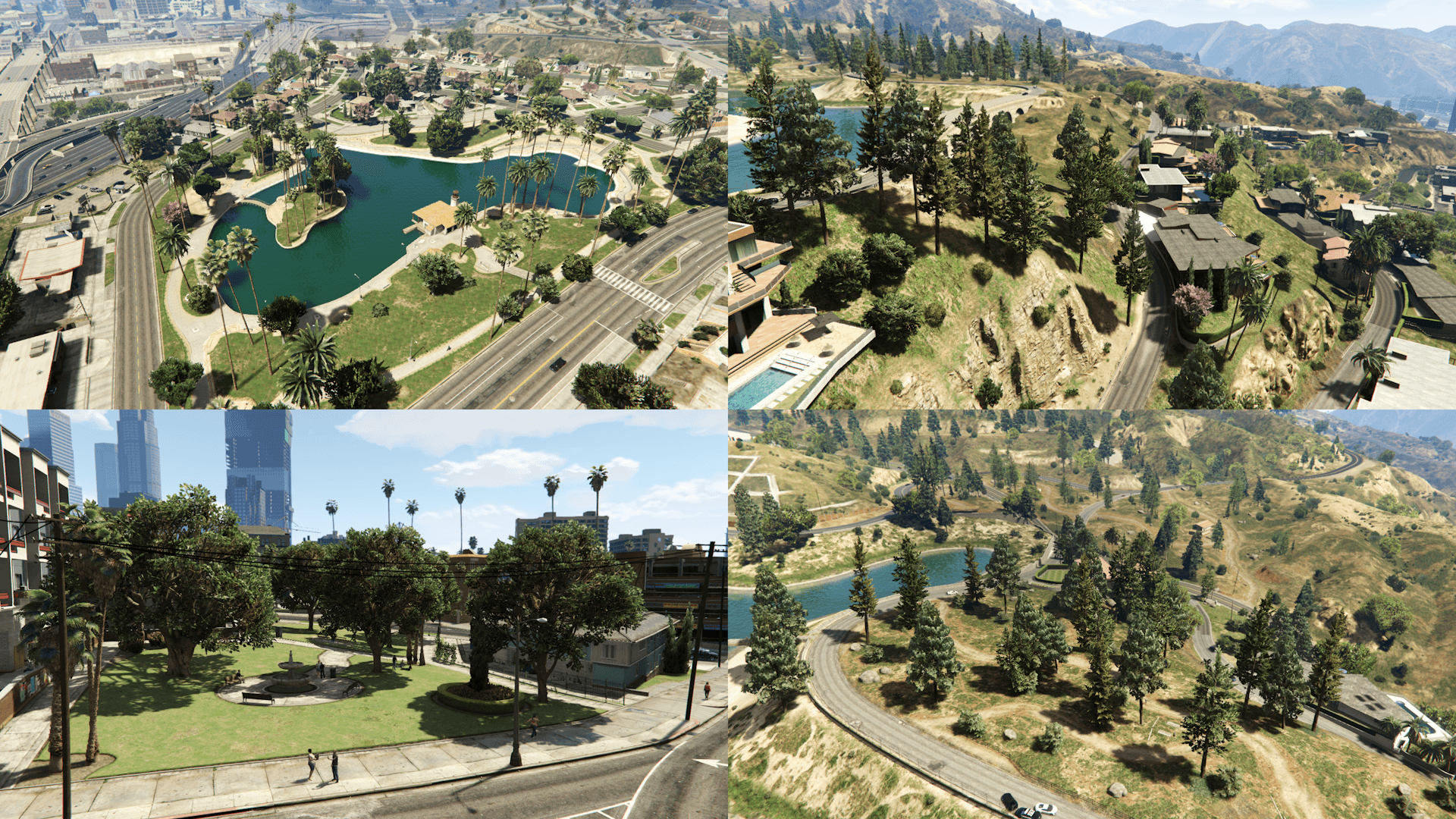
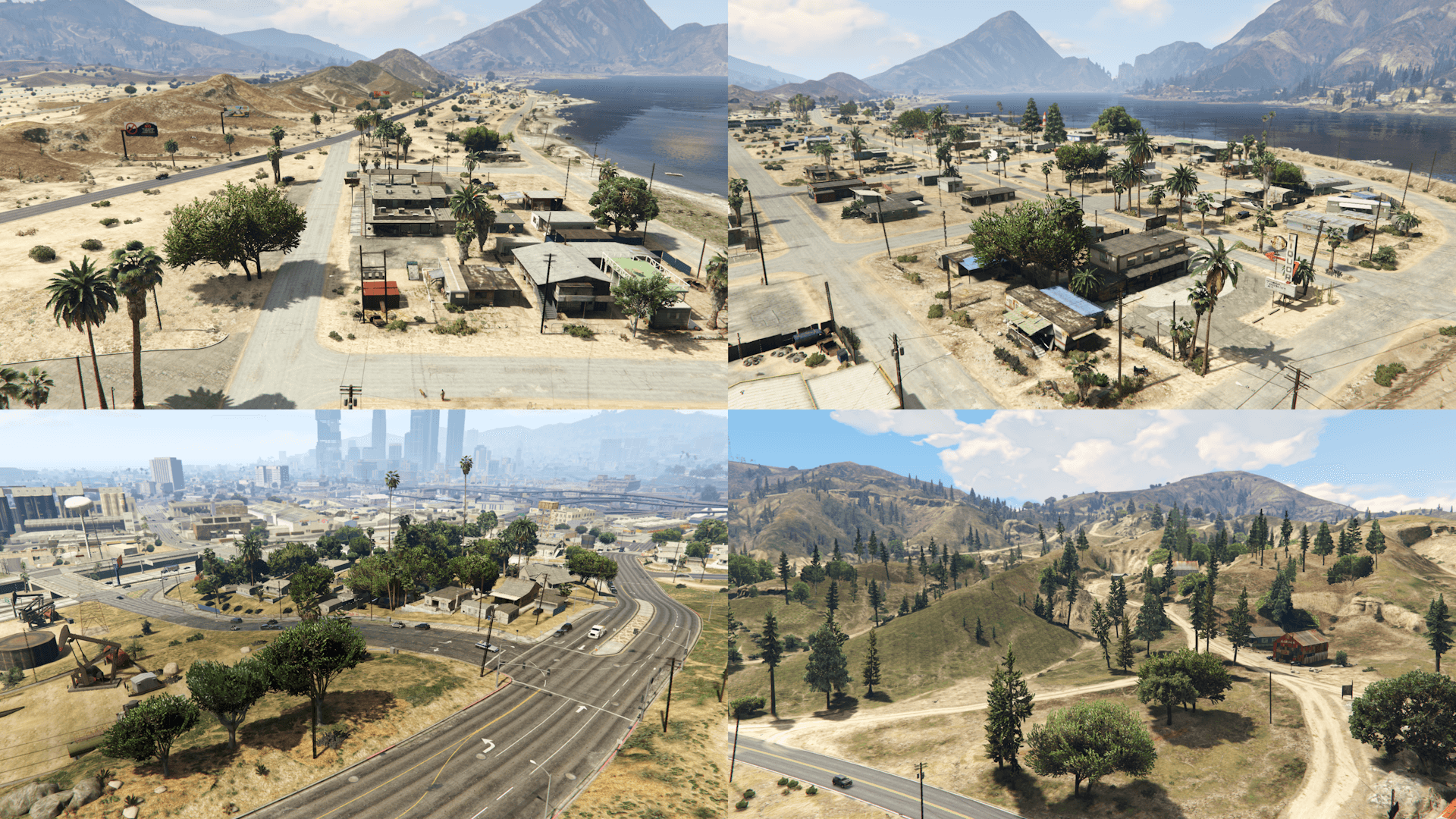
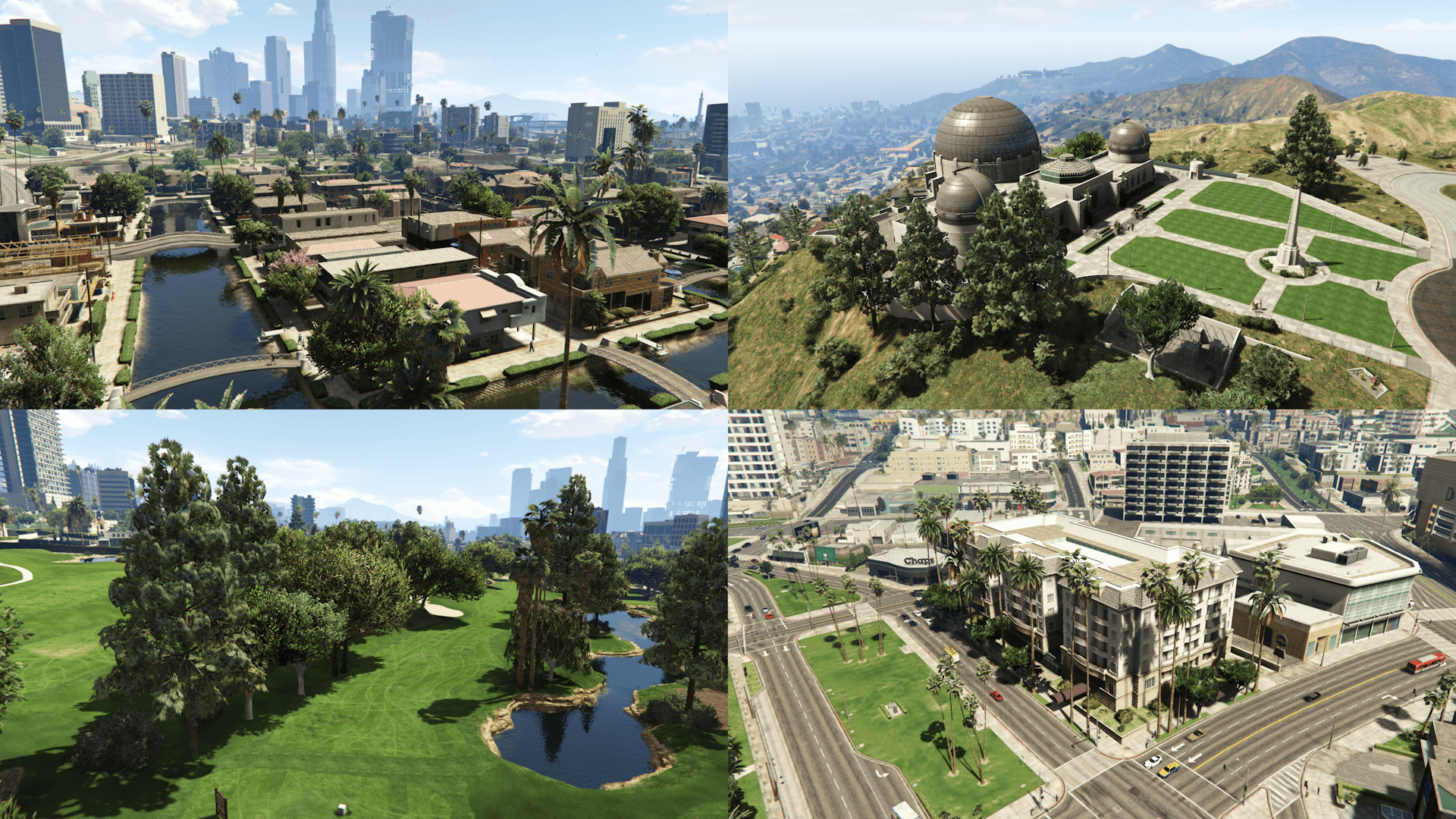
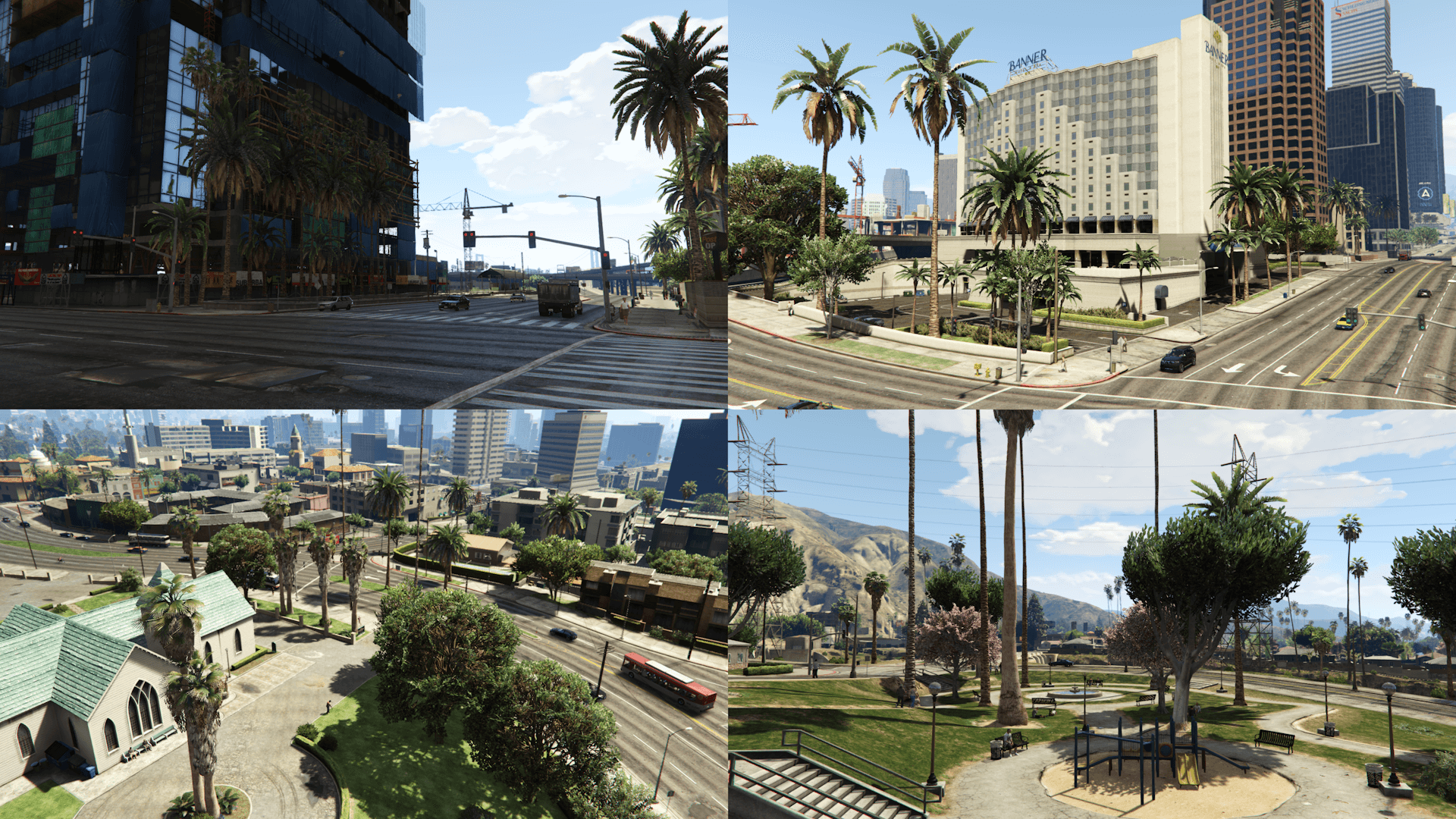
This mod restores, by modifying the existing assets and recreating them from scratch, props placements and also changes various map assets based on the beta version of the game, using promotional screens and trailers, in game tv shows and commercials, game files/textures and the missions thumbnails as reference
Map Assets changes:
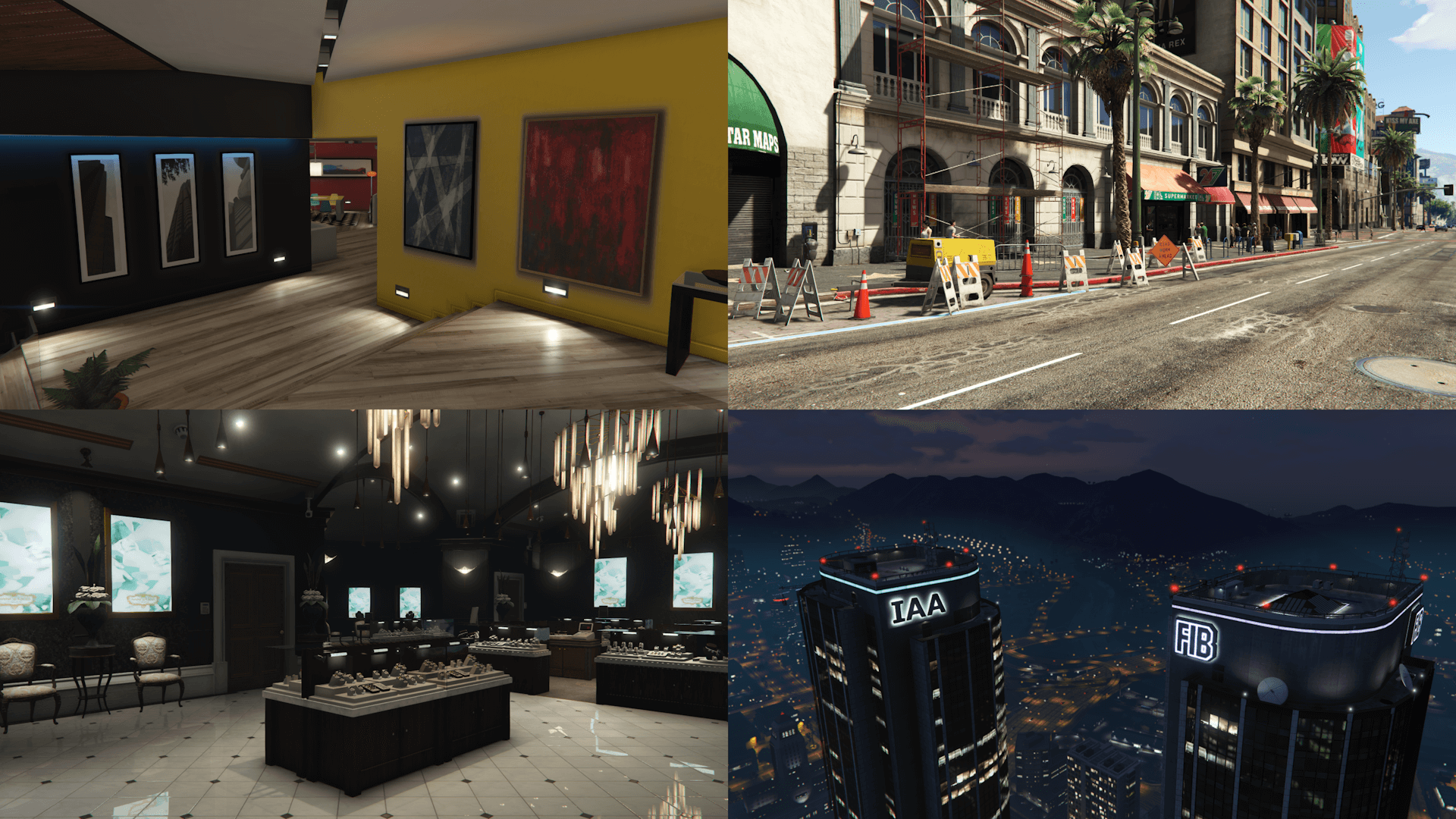
- Colored FIB and IAA buildings lights
- Franklin's mansion interior
- Vangelico jewelry store interior
- Restored neon sign at the entrance of the Liquor Ace
- Green Mirror Park lake
- 2405 house roof texture and color and restored "2405" sidewalk decal
- Red top of the 24/7 canopy and Wolfs International Realty adverts on the Pacific Standard Bank in Vinewood Boulevard
- Restored the Pisswasser and eCola posters on the Vespucci Market building
- Removed the hedge outside the Banner Hotel in Pillbox Hill
- Restored emissive outside the 24/7 in Little Seoul
- Green and gray Downtown Cab Co. HQ walls and frames
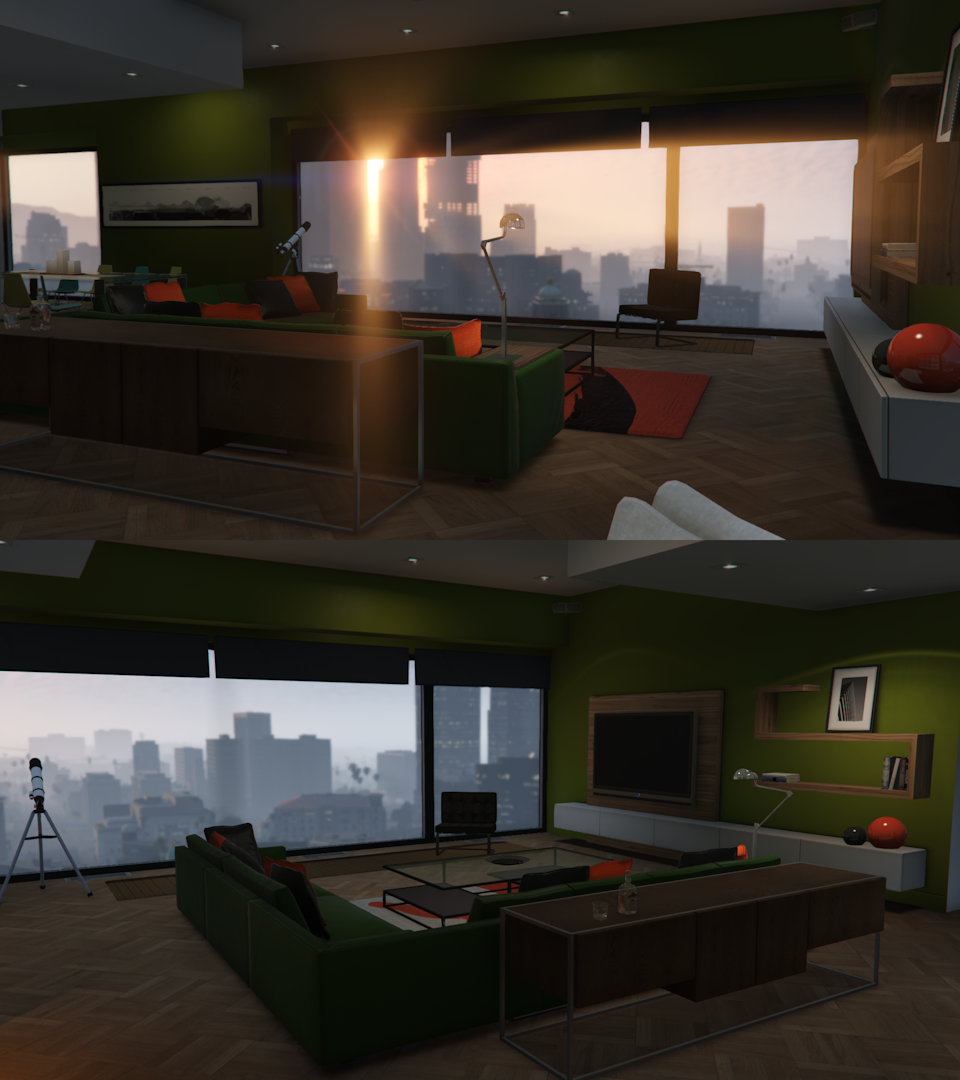
- High end apartment interior
Map Placements locations:
- Alta
- Burton
- Grand Senora Desert
- Grapeseed
- Great Chaparral
- Hawick
- Kortz Center
- La Puerta
- Little Seoul
- Maze Bank Arena
- Mirror Park
- Morningwood
- Mount Chiliad
- Mount Gordo
- Pacific Bluffs
- Paleto Bay
- Paleto Forest
- Rockford Hills
- Richman
- GWC and Golfing Society
- Pillbox Hill
- Sandy Shores
- Del Perro
- Cypress Flats
- East, Downtown and West Vinewood
- Vinewood Hills
- Cassidy Creek
- Raton Canyon
- Chiliad Mountain State Wilderness
- South LS (Strawberry, Chamberlain Hills, Rancho)
- El Burro Heights
- La Mesa
- Palomino Highlands
- Vespucci, Vespucci Beach, Vespucci Canals
- San Chianski Mountains Range
- Palmer-Taylor Power Station
Requirements:
- Legacy: OpenIV.asi and fwBoxStreamerVariable Patch
- Enhanced: OpenRPF and fwBoxStreamer + DecalsPatch
Installation (Legacy):
- Move the "spbmr_01" and "spbmr_02" folders in "mods\update\x64\dlcpacks" and add "<Item>dlcpacks:/spBMR_01/</Item>" and "<Item>dlcpacks:/spBMR_02/</Item>" to the "dlclist.xml"
- MP Map Files: import "hei_dt1_20_0.ybn" in "mods\update\x64\dlcpacks\mpheist\dlc.rpf\x64\levels\gta5\_citye\downtown_01\dt1_20.rpf"
- Optionals: the installation instructions are included in the folder of each optional inside archive
Installation (Enhanced):
- Move the "spBMR_01_Gen9" and "spBMR_02_Gen9" folders in "mods\update\x64\dlcpacks" and add "<Item>dlcpacks:/spBMR_01_Gen9/</Item>" and "<Item>dlcpacks:/spBMR_02_Gen9/</Item>" to the "dlclist.xml"
- MP Map Files: import "hei_dt1_20_0.ybn" in "mods\update\x64\dlcpacks\mpheist\dlc.rpf\x64\levels\gta5\_citye\downtown_01\dt1_20.rpf"
- Optionals: the installation instructions are included in the folder of each optional inside archive
Special Thanks:
- All the people that contributed to the GTA V Beta Hunt topic on GTAForums for all the findings
- dexyfex for Codewalker
- Skylumz for Sollumz
- The OpenIV Team for OpenIV
- 3Doomer for GIMS Evo
- Neos7 for the GTA V Map Helper
- Dekurwinator for info about flags and other map related stuff
- Stryfaar for the modified Mirror Park lake
- Larcius for the gta5-modding-utils script
- FIFASam for V Creator
Changelog:
v3.1
- Removed an extra "v_int_24.ytyp" from an unrelated archive
- Updated only the "spBMR_02_Gen9" DLC pack
This mod restores, by modifying the existing assets and recreating them from scratch, props placements and also changes various map assets based on the beta version of the game, using promotional screens and trailers, in game tv shows and commercials, game files/textures and the missions thumbnails as reference
Map Assets changes:
- Colored FIB and IAA buildings lights
- Franklin's mansion interior
- Vangelico jewelry store interior
- Restored neon sign at the entrance of the Liquor Ace
- Green Mirror Park lake
- 2405 house roof texture and color and restored "2405" sidewalk decal
- Red top of the 24/7 canopy and Wolfs International Realty adverts on the Pacific Standard Bank in Vinewood Boulevard
- Restored the Pisswasser and eCola posters on the Vespucci Market building
- Removed the hedge outside the Banner Hotel in Pillbox Hill
- Restored emissive outside the 24/7 in Little Seoul
- Green and gray Downtown Cab Co. HQ walls and frames
- High end apartment interior
Map Placements locations:
- Alta
- Burton
- Grand Senora Desert
- Grapeseed
- Great Chaparral
- Hawick
- Kortz Center
- La Puerta
- Little Seoul
- Maze Bank Arena
- Mirror Park
- Morningwood
- Mount Chiliad
- Mount Gordo
- Pacific Bluffs
- Paleto Bay
- Paleto Forest
- Rockford Hills
- Richman
- GWC and Golfing Society
- Pillbox Hill
- Sandy Shores
- Del Perro
- Cypress Flats
- East, Downtown and West Vinewood
- Vinewood Hills
- Cassidy Creek
- Raton Canyon
- Chiliad Mountain State Wilderness
- South LS (Strawberry, Chamberlain Hills, Rancho)
- El Burro Heights
- La Mesa
- Palomino Highlands
- Vespucci, Vespucci Beach, Vespucci Canals
- San Chianski Mountains Range
- Palmer-Taylor Power Station
Requirements:
- Legacy: OpenIV.asi and fwBoxStreamerVariable Patch
- Enhanced: OpenRPF and fwBoxStreamer + DecalsPatch
Installation (Legacy):
- Move the "spbmr_01" and "spbmr_02" folders in "mods\update\x64\dlcpacks" and add "<Item>dlcpacks:/spBMR_01/</Item>" and "<Item>dlcpacks:/spBMR_02/</Item>" to the "dlclist.xml"
- MP Map Files: import "hei_dt1_20_0.ybn" in "mods\update\x64\dlcpacks\mpheist\dlc.rpf\x64\levels\gta5\_citye\downtown_01\dt1_20.rpf"
- Optionals: the installation instructions are included in the folder of each optional inside archive
Installation (Enhanced):
- Move the "spBMR_01_Gen9" and "spBMR_02_Gen9" folders in "mods\update\x64\dlcpacks" and add "<Item>dlcpacks:/spBMR_01_Gen9/</Item>" and "<Item>dlcpacks:/spBMR_02_Gen9/</Item>" to the "dlclist.xml"
- MP Map Files: import "hei_dt1_20_0.ybn" in "mods\update\x64\dlcpacks\mpheist\dlc.rpf\x64\levels\gta5\_citye\downtown_01\dt1_20.rpf"
- Optionals: the installation instructions are included in the folder of each optional inside archive
Special Thanks:
- All the people that contributed to the GTA V Beta Hunt topic on GTAForums for all the findings
- dexyfex for Codewalker
- Skylumz for Sollumz
- The OpenIV Team for OpenIV
- 3Doomer for GIMS Evo
- Neos7 for the GTA V Map Helper
- Dekurwinator for info about flags and other map related stuff
- Stryfaar for the modified Mirror Park lake
- Larcius for the gta5-modding-utils script
- FIFASam for V Creator
Changelog:
v3.1
- Removed an extra "v_int_24.ytyp" from an unrelated archive
- Updated only the "spBMR_02_Gen9" DLC pack
Pertama dimuat naik: 14 Ogos, 2017
Tarikh Kemaskini: 07 Oktober, 2025
Last Downloaded: 1 hours ago
905 Komen
More mods by Alex106:
Information:
This mod restores, by modifying the existing assets and recreating them from scratch, props placements and also changes various map assets based on the beta version of the game, using promotional screens and trailers, in game tv shows and commercials, game files/textures and the missions thumbnails as reference
Map Assets changes:
- Colored FIB and IAA buildings lights
- Franklin's mansion interior
- Vangelico jewelry store interior
- Restored neon sign at the entrance of the Liquor Ace
- Green Mirror Park lake
- 2405 house roof texture and color and restored "2405" sidewalk decal
- Red top of the 24/7 canopy and Wolfs International Realty adverts on the Pacific Standard Bank in Vinewood Boulevard
- Restored the Pisswasser and eCola posters on the Vespucci Market building
- Removed the hedge outside the Banner Hotel in Pillbox Hill
- Restored emissive outside the 24/7 in Little Seoul
- Green and gray Downtown Cab Co. HQ walls and frames
- High end apartment interior
Map Placements locations:
- Alta
- Burton
- Grand Senora Desert
- Grapeseed
- Great Chaparral
- Hawick
- Kortz Center
- La Puerta
- Little Seoul
- Maze Bank Arena
- Mirror Park
- Morningwood
- Mount Chiliad
- Mount Gordo
- Pacific Bluffs
- Paleto Bay
- Paleto Forest
- Rockford Hills
- Richman
- GWC and Golfing Society
- Pillbox Hill
- Sandy Shores
- Del Perro
- Cypress Flats
- East, Downtown and West Vinewood
- Vinewood Hills
- Cassidy Creek
- Raton Canyon
- Chiliad Mountain State Wilderness
- South LS (Strawberry, Chamberlain Hills, Rancho)
- El Burro Heights
- La Mesa
- Palomino Highlands
- Vespucci, Vespucci Beach, Vespucci Canals
- San Chianski Mountains Range
- Palmer-Taylor Power Station
Requirements:
- Legacy: OpenIV.asi and fwBoxStreamerVariable Patch
- Enhanced: OpenRPF and fwBoxStreamer + DecalsPatch
Installation (Legacy):
- Move the "spbmr_01" and "spbmr_02" folders in "mods\update\x64\dlcpacks" and add "<Item>dlcpacks:/spBMR_01/</Item>" and "<Item>dlcpacks:/spBMR_02/</Item>" to the "dlclist.xml"
- MP Map Files: import "hei_dt1_20_0.ybn" in "mods\update\x64\dlcpacks\mpheist\dlc.rpf\x64\levels\gta5\_citye\downtown_01\dt1_20.rpf"
- Optionals: the installation instructions are included in the folder of each optional inside archive
Installation (Enhanced):
- Move the "spBMR_01_Gen9" and "spBMR_02_Gen9" folders in "mods\update\x64\dlcpacks" and add "<Item>dlcpacks:/spBMR_01_Gen9/</Item>" and "<Item>dlcpacks:/spBMR_02_Gen9/</Item>" to the "dlclist.xml"
- MP Map Files: import "hei_dt1_20_0.ybn" in "mods\update\x64\dlcpacks\mpheist\dlc.rpf\x64\levels\gta5\_citye\downtown_01\dt1_20.rpf"
- Optionals: the installation instructions are included in the folder of each optional inside archive
Special Thanks:
- All the people that contributed to the GTA V Beta Hunt topic on GTAForums for all the findings
- dexyfex for Codewalker
- Skylumz for Sollumz
- The OpenIV Team for OpenIV
- 3Doomer for GIMS Evo
- Neos7 for the GTA V Map Helper
- Dekurwinator for info about flags and other map related stuff
- Stryfaar for the modified Mirror Park lake
- Larcius for the gta5-modding-utils script
- FIFASam for V Creator
Changelog:
v3.1
- Removed an extra "v_int_24.ytyp" from an unrelated archive
- Updated only the "spBMR_02_Gen9" DLC pack
This mod restores, by modifying the existing assets and recreating them from scratch, props placements and also changes various map assets based on the beta version of the game, using promotional screens and trailers, in game tv shows and commercials, game files/textures and the missions thumbnails as reference
Map Assets changes:
- Colored FIB and IAA buildings lights
- Franklin's mansion interior
- Vangelico jewelry store interior
- Restored neon sign at the entrance of the Liquor Ace
- Green Mirror Park lake
- 2405 house roof texture and color and restored "2405" sidewalk decal
- Red top of the 24/7 canopy and Wolfs International Realty adverts on the Pacific Standard Bank in Vinewood Boulevard
- Restored the Pisswasser and eCola posters on the Vespucci Market building
- Removed the hedge outside the Banner Hotel in Pillbox Hill
- Restored emissive outside the 24/7 in Little Seoul
- Green and gray Downtown Cab Co. HQ walls and frames
- High end apartment interior
Map Placements locations:
- Alta
- Burton
- Grand Senora Desert
- Grapeseed
- Great Chaparral
- Hawick
- Kortz Center
- La Puerta
- Little Seoul
- Maze Bank Arena
- Mirror Park
- Morningwood
- Mount Chiliad
- Mount Gordo
- Pacific Bluffs
- Paleto Bay
- Paleto Forest
- Rockford Hills
- Richman
- GWC and Golfing Society
- Pillbox Hill
- Sandy Shores
- Del Perro
- Cypress Flats
- East, Downtown and West Vinewood
- Vinewood Hills
- Cassidy Creek
- Raton Canyon
- Chiliad Mountain State Wilderness
- South LS (Strawberry, Chamberlain Hills, Rancho)
- El Burro Heights
- La Mesa
- Palomino Highlands
- Vespucci, Vespucci Beach, Vespucci Canals
- San Chianski Mountains Range
- Palmer-Taylor Power Station
Requirements:
- Legacy: OpenIV.asi and fwBoxStreamerVariable Patch
- Enhanced: OpenRPF and fwBoxStreamer + DecalsPatch
Installation (Legacy):
- Move the "spbmr_01" and "spbmr_02" folders in "mods\update\x64\dlcpacks" and add "<Item>dlcpacks:/spBMR_01/</Item>" and "<Item>dlcpacks:/spBMR_02/</Item>" to the "dlclist.xml"
- MP Map Files: import "hei_dt1_20_0.ybn" in "mods\update\x64\dlcpacks\mpheist\dlc.rpf\x64\levels\gta5\_citye\downtown_01\dt1_20.rpf"
- Optionals: the installation instructions are included in the folder of each optional inside archive
Installation (Enhanced):
- Move the "spBMR_01_Gen9" and "spBMR_02_Gen9" folders in "mods\update\x64\dlcpacks" and add "<Item>dlcpacks:/spBMR_01_Gen9/</Item>" and "<Item>dlcpacks:/spBMR_02_Gen9/</Item>" to the "dlclist.xml"
- MP Map Files: import "hei_dt1_20_0.ybn" in "mods\update\x64\dlcpacks\mpheist\dlc.rpf\x64\levels\gta5\_citye\downtown_01\dt1_20.rpf"
- Optionals: the installation instructions are included in the folder of each optional inside archive
Special Thanks:
- All the people that contributed to the GTA V Beta Hunt topic on GTAForums for all the findings
- dexyfex for Codewalker
- Skylumz for Sollumz
- The OpenIV Team for OpenIV
- 3Doomer for GIMS Evo
- Neos7 for the GTA V Map Helper
- Dekurwinator for info about flags and other map related stuff
- Stryfaar for the modified Mirror Park lake
- Larcius for the gta5-modding-utils script
- FIFASam for V Creator
Changelog:
v3.1
- Removed an extra "v_int_24.ytyp" from an unrelated archive
- Updated only the "spBMR_02_Gen9" DLC pack
Pertama dimuat naik: 14 Ogos, 2017
Tarikh Kemaskini: 07 Oktober, 2025
Last Downloaded: 1 hours ago
 5mods on Discord

@Alex106 Yeah nevermind it's working now it turns out that the Old gen vegetation mod aka this one https://www.gta5-mods.com/misc/old-gen-vegetation-mod was overwritting both this mod and your old vespucci beach sculpture mod... smh
When I try starting the game after installing it on enhanced i keep getting an error and the game won’t start
sorry, I just downloaded GTA 5 enhanced today, and I don't understand how I can make a dlclist.xml? just by renaming txt and writing what you need there?
@nn115 Remove/disable any other mod you have and test again
@GTA Champion No, you need to navigate to "mods\update\update.rpf\common\data", extract the dlclist.xml and add the line from the description and then importt it back
@silada So I open OpenIV once I changed "GTA5_Enhanced.exe to GTA5.exe and edit the dlclist but dont intsall the asi loaders?
Also It dosent work for enhanced I can;t get it to work and when you change "GTA5_Enhanced.exe" to 'GTA5.exe" rockstar gives you an error code
yo @Alex106 can u add the Bahama Mamas fix? please the exterior neons
@Magxel It's included already in Map Fixes https://www.gta5-mods.com/maps/map-fixes
Is this mod compatible with your "Map Fixes" mod ?
@Andrei_BRDNew Yes
Hi, the poster of Pisswasser and eCola posters can scroll?
@FeerloCarajo No, I changed it so that they're static since they seem to be that way in the trailer
@Alex106 How are we supposed to install this, the map fixes, and a few other mods of yours for Enhanced when OpenIV doesn't support it yet? I honestly rarely install mods for enhanced nor even try to make mods for Enhanced but i figured I would use the enhanced version for graphics mods and use legacy for beta restoration mods and such which I'm still working on some more mods myself for GTA 5 but I of course haven't finished any of them yet and that is why I haven't released any of my work. (Though i just wanted to ask since like i said OpenIV is not supported and because the instructions you gave for installing just seems a bit unclear.)
@waffl7 You need to use CodeWalker for Enhanced
You can find an up to date version that supports it in the Discord server https://discord.gg/BxfKHkk
@Alex106 Alright thanks for the response man, I'll probably just keep modding legacy for now, Especially since it's much easier to make mods for legacy then Enhanced because of how limited it is.
Is there a way to only have the added vegetation?
@crazyguy385 Yes, install only the spBMR_01/spBMR_01_Gen9 DLC pack
@Alex106 Alright, thanks
I appreciate your work man, these are great modifications.
this is compatible with LWE ?